Interactive Walkthrough
Discover Sentinel
Explore every module of Sentinel step by step. See real screenshots, learn key features, and get practical tips from experienced care professionals. This guide covers all 13 core modules.
13 modules
~15 min read
Real system screenshots
Getting Started
Core Records
Daily Work
Safety
Regulatory
Care & Wellbeing
Operations
Intelligence
Step 1 of 13
Dashboard Overview
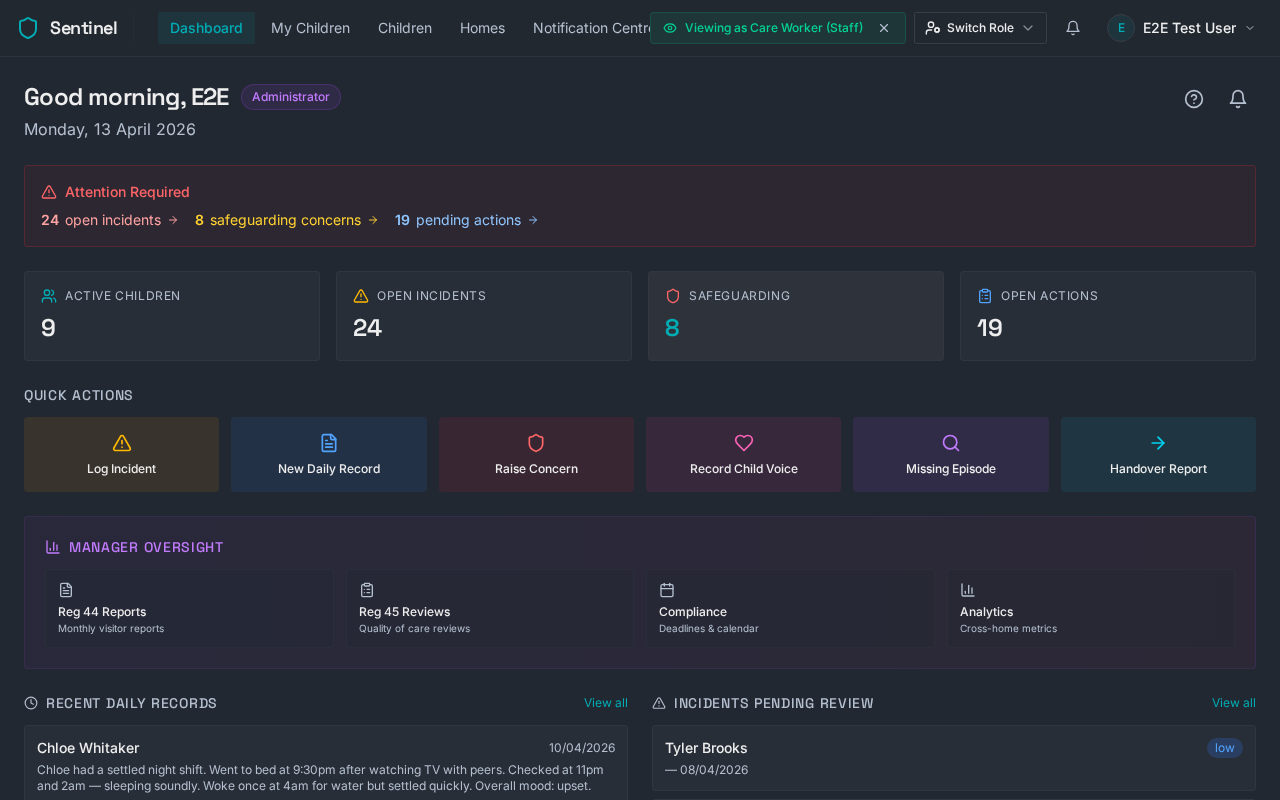
Your command centre. The dashboard gives you an at-a-glance view of everything happening across your homes — active children, open incidents, safeguarding concerns, and pending actions. Quick action buttons let you log incidents, create daily records, or raise concerns in one click.
Key Features
Real-time stat cards showing active children, incidents, safeguarding, and actions
Quick action buttons for the 6 most common tasks
Manager oversight section linking to Reg 44, Reg 45, Compliance, and Analytics
Recent daily records and incidents pending review
Compliments feed from schools, parents, and social workers
Pro Tip
Use the 'Attention Required' banner at the top to quickly jump to items needing your immediate attention.
Progress1 / 13